Zombie Match Cut Prompt: From Apocalypse to a Happy Memory
Plan a zombie love story prompt with clear character roles, a 25-second story and a pose-matched cut into grass or snow.
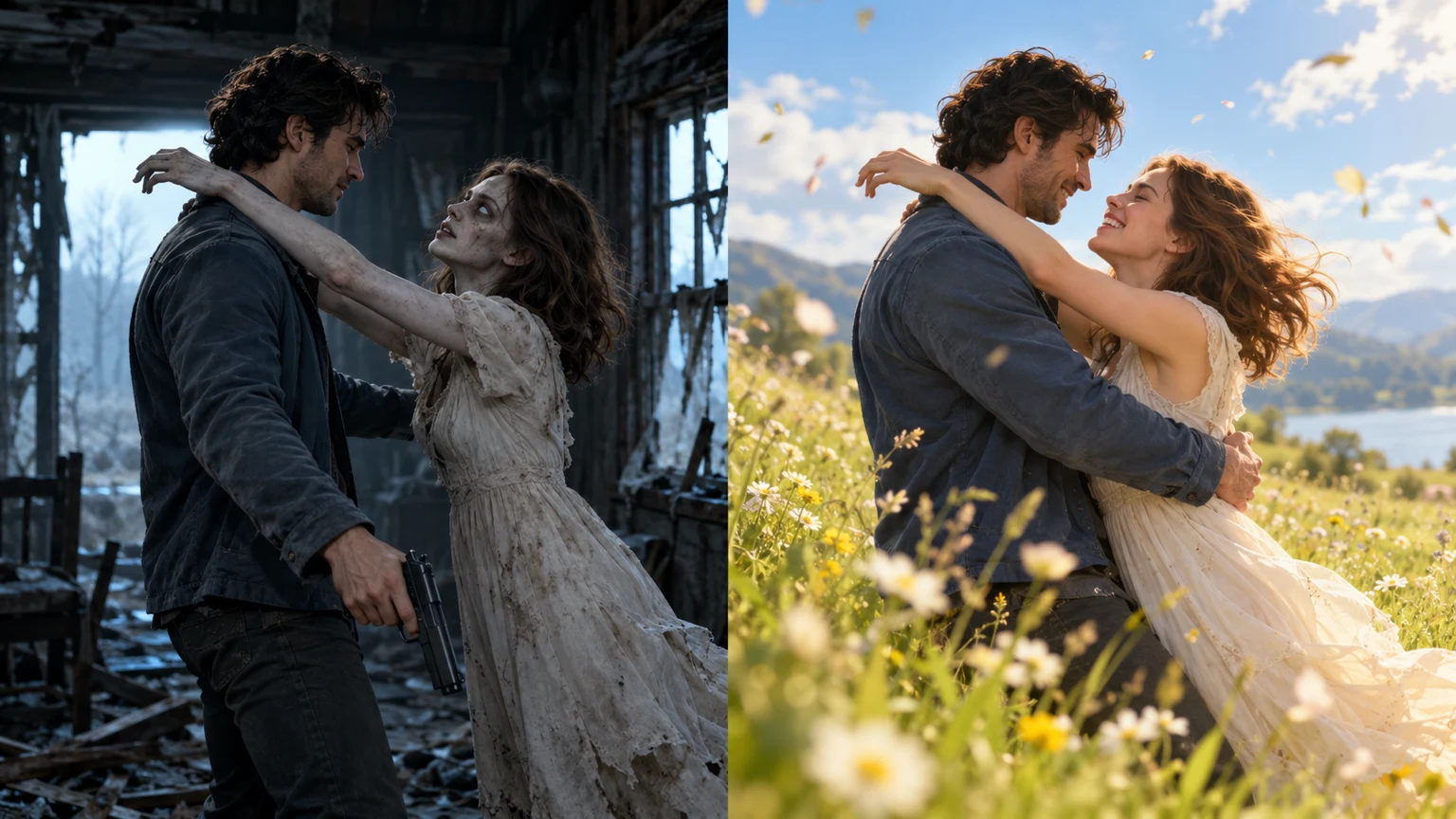
A useful zombie match cut prompt tells the model which face belongs to each role, when the scene should change, and which motion must survive that change. Describing only “a zombie couple hugging” leaves the most important edit undefined.
Start with two identity references
Use the same two portraits throughout. Reference 1 is the human partner. Reference 2 is the infected partner in the ruined room and the healthy person in the memory. Request recognizable faces and consistent hair, while allowing the lighting and zombie makeup to change.
Give the action room to breathe
In a compact story, the first few seconds introduce the confrontation. The next beat shows the gun being lowered and arms opening. Then the infected partner moves into the embrace. Reserve the last part of the main arc for the cut and the fall into grass or snow.
Our generator requests 25 seconds, with a match cut at 10 seconds from the apocalypse into a 15-second memory. Avoid promising that an AI model will place a cut on a particular frame before examining the output.
A reusable story prompt
Use two uploaded portraits as recurring adult characters. In a cold abandoned cabin, the human faces their infected partner. The human lowers the gun without firing and opens both arms. The infected partner rushes into the embrace. At first contact, hard cut to the identical pose, camera angle and momentum in a sunlit meadow. The infected partner is now their healthy self in a memory. Continue their gentle fall into soft grass; they laugh and hold each other. Keep both faces recognizable. Use natural breathing, footsteps, laughter and meadow ambience only. No background music or dialogue. No blood, biting, injury, extra people or text.
This is an original planning prompt. It expresses the story structure; it does not guarantee a particular model’s result.
A snowy-memory variation
For a snow ending, replace the meadow with a sunny snowy slope and the landing with soft snow. Keep the embrace pose, camera direction and character references unchanged. Describe cold light in the cabin and warm sunlight in the memory so the emotional contrast remains clear.
The current web generator uses the meadow variant. There is no grass-or-snow selector in the retained interface; the snowy version is a prompt idea for custom generation.
If the transition looks wrong
Review whether both characters remain visible immediately before and after the cut. Look for hands switching positions, a reversed camera angle or an infected face persisting in the memory. Those errors weaken continuity even if each individual shot looks good.
An editor can sometimes align separately generated shots, using the last embrace frame as a reference for the memory. That is an optional manual workflow, rather than a feature claimed by this generator.
For the complete recreation workflow, see the Zombie Apocalypse AI Video Editing Prompt tutorial. See the trend explanation for the story’s emotional meaning and the photo guide for stronger inputs.